 Sunset Mesa Software
Press kit
Rewire Text
by Sunset Mesa Software · available now for macOS and Windows
This page is for reviewers, bloggers, and video creators. It has descriptions you can quote, the exact facts, downloadable assets, and a way to get a free review license, so you can cover the app without waiting on us for anything. If something is missing, email us and we will add it.
Descriptions you can lift
Quote these verbatim or paraphrase them. Both are accurate as of v1.3.0.
One sentence
Rewire Text transforms selected text in any app on macOS and Windows: press a hotkey, pick a transform, and the text is replaced in place.
Short paragraph
Rewire Text is a system-wide text utility for macOS and Windows. It lives in the menu bar or system tray: select text in any application, press a global hotkey, pick a transform from a command palette, and the result replaces the text where it sits. It combines 50+ instant on-device transforms (case conversion, Markdown utilities, formatting cleanup, encoding) with AI transforms (rewrite, summarize, change tone, translate, proofread) that run through your own API key or a local model, and it costs $29 once, with no subscription.
What it does
The core interaction is one motion. Select text in any application (an email draft, a note in Obsidian, a form in a browser, code in an editor), press the global hotkey, and a command palette appears with your selection already captured. Pick a transform, check the preview, press Enter, and the result is pasted back where the original text was. There is also a full app window with input and output side by side, for longer text.
Transforms come in two families, and the combination is the differentiator:
- ● Deterministic transforms run instantly on your machine: case conversion, Markdown heading shifting, strip formatting, whitespace and line-break cleanup, encoding and decoding, JSON formatting, and more. No API key and no network.
- ● AI transforms (rewrite, summarize, change tone, translate into 29+ languages, proofread, plus custom transforms you define and save) are bring-your-own-key. They use an API key you provide, or a model running locally on your machine.
Most tools in this category do one family or the other. Rewire Text does both, in one palette, on both platforms.
What’s notable about it
- ✓ It works system-wide. One hotkey and one palette across your mail client, browser, notes app, IDE, and chat windows. It is not tied to a single editor.
- ✓ Individual transforms can get their own global hotkeys. Press one in any app and that transform runs on the selection immediately, with an optional skip-preview mode that applies the result as soon as it is ready.
- ✓ The deterministic half is useful the minute it is installed. No API key, no configuration, and it runs offline.
- ✓ The AI half has no middleman. You bring your own key from Google Gemini, Anthropic, OpenAI, xAI Grok, or OpenRouter and pay the provider directly. Sunset Mesa never proxies your text and adds no markup.
- ✓ AI can also run entirely on your machine through Ollama, LM Studio, or llama.cpp. Nothing leaves the computer, and there is no per-use cost.
- ✓ It is a one-time purchase in a category that has mostly moved to subscriptions. $29 once, and one license covers any two devices.
- ✓ macOS and Windows are both first-class. Most comparable tools are Mac-only.
Fact sheet
- Product
- Rewire Text
- Developer
- Sunset Mesa Software, a one-person studio in Colorado (a trade name of Sunset Mesa Ventures LLC)
- Availability
- Shipping now. Direct download from sunsetmesasoftware.com, and on the Microsoft Store: apps.microsoft.com/store/detail/XP9MDQ71TLP2QV
- Current version
- v1.3.0, released 2026-09-15
- Price
- $29, one-time purchase. No subscription and no account. Creem is the merchant of record.
- License
- One license covers any 2 devices, in any mix of macOS and Windows, managed by you.
- Trial
- 7 days, fully functional, no email address required. After it ends, a core set of transforms stays free for as long as you want; purchasing restores everything.
- Refunds
- Full refund within 14 days of purchase.
- Updates
- Free updates within the version you buy. If a major paid upgrade ever ships, it is optional.
- Platforms
- macOS and Windows.
- Transforms
- 50+ built-in, plus translation into 29+ languages and unlimited custom AI instructions.
- Hotkeys
- Global hotkey: Cmd+Shift+, on macOS and Ctrl+Shift+, on Windows, both customizable. Any individual transform can also get its own hotkey, with an optional skip-preview mode.
- AI providers
- Google Gemini, Anthropic Claude, OpenAI, xAI Grok, OpenRouter, and any OpenAI-compatible endpoint. Local models through Ollama, LM Studio, and llama.cpp.
- Requirements
- Deterministic transforms need no setup and work offline. AI transforms need a provider API key or a local model. On macOS the app asks for Accessibility permission (it simulates copy and paste).
- Privacy
- No account, and no telemetry of your text. Text sent to an AI transform goes directly to the provider you chose, never through Sunset Mesa servers. API keys are stored in the OS keychain.
More detail: product page · getting started · AI setup · changelog
Logo, screenshots, and video
Use anything here in articles, videos, and posts about Rewire Text. Crop or resize as you like, and no attribution is required. Please don’t alter the app UI shown inside the images.
Everything on this page, plus a 1024 px icon PNG, a 1200×630 social image, and a plain-text fact sheet.
Hero demo video
MP4, 1664×1080, 5 seconds, silent loop
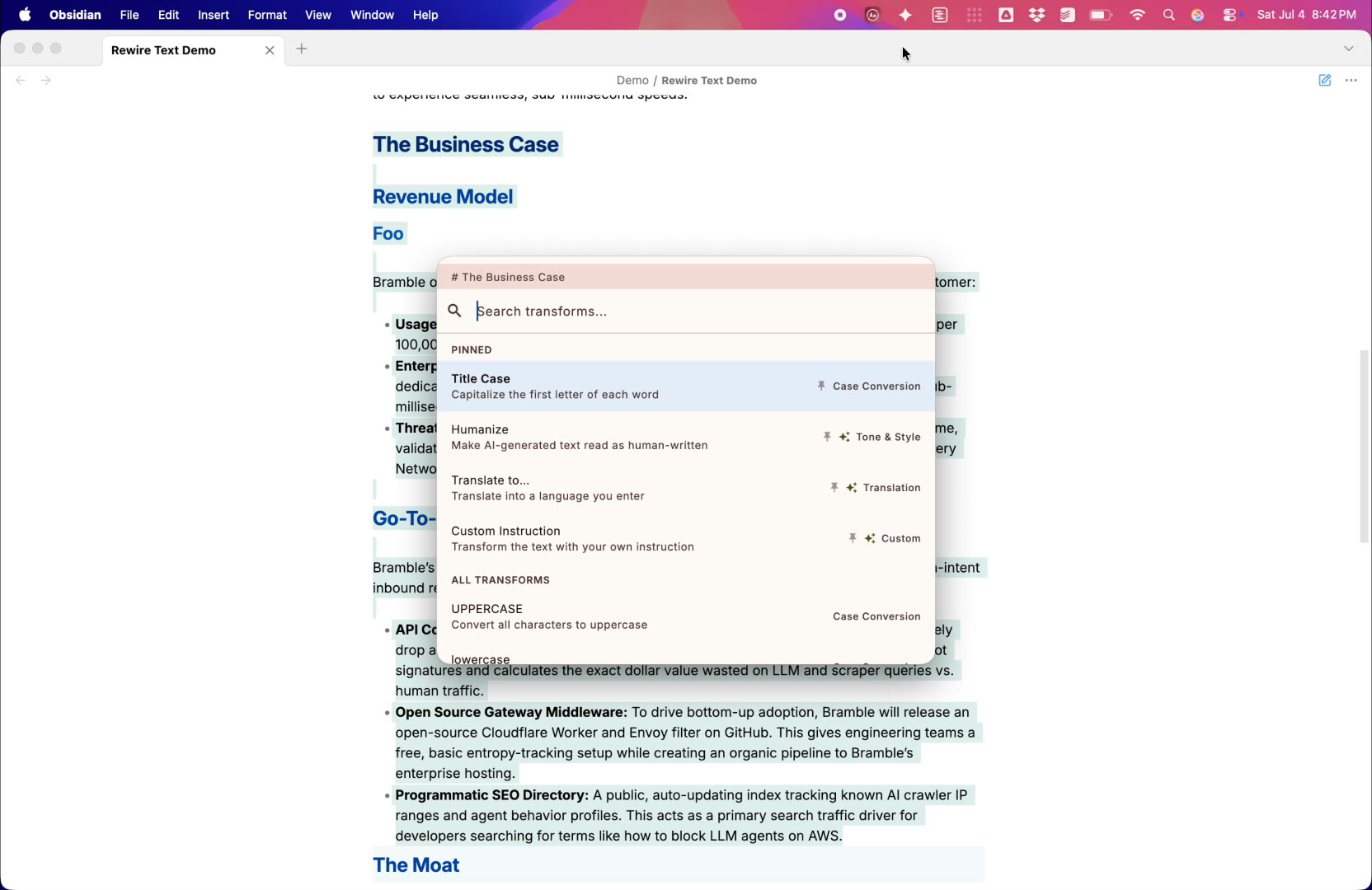
The core motion: select text in Obsidian on macOS, press the hotkey, pick a transform, and the heading levels shift in place. Good for video reviews and social posts.
Full app window on Windows
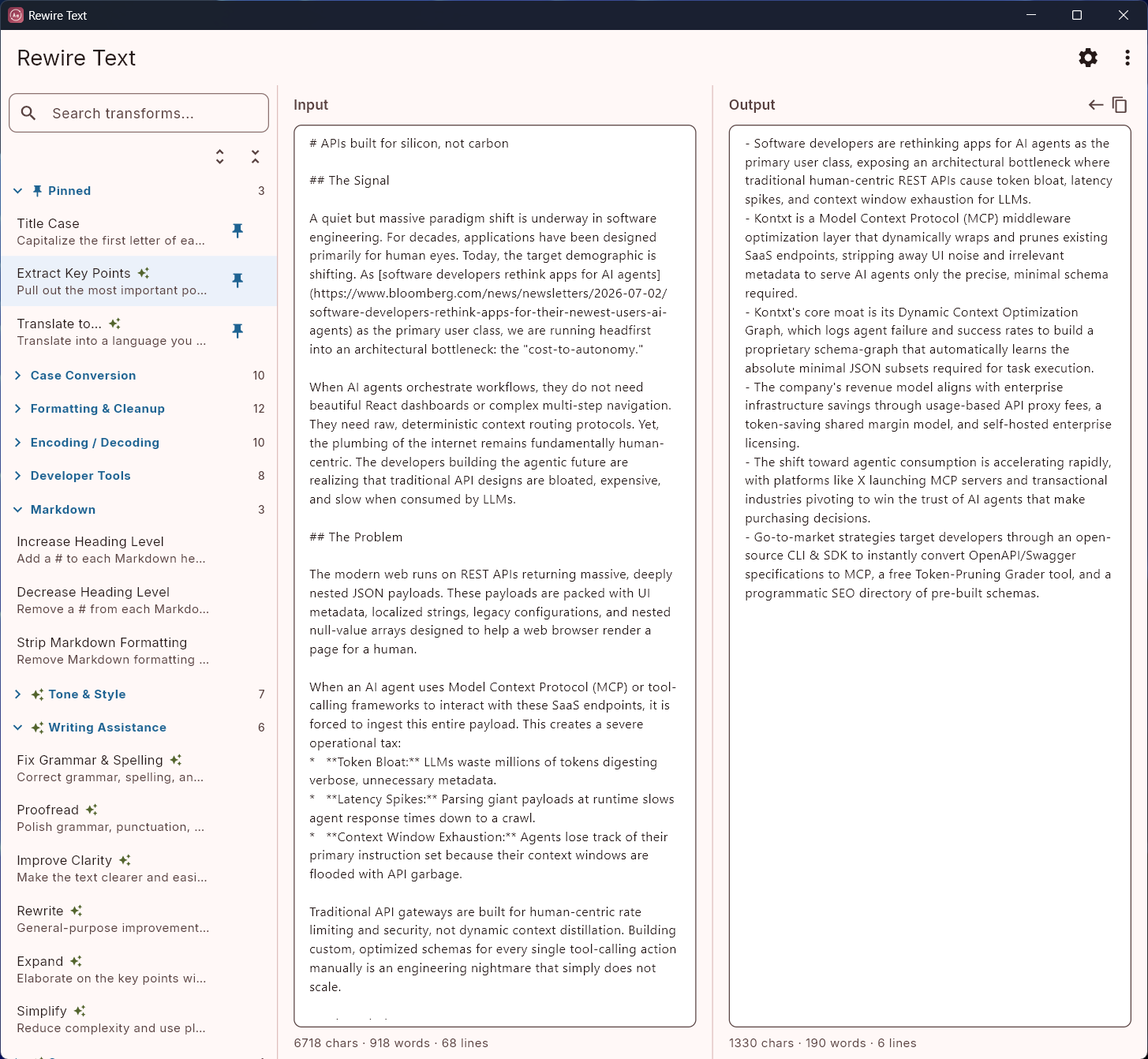
PNG, 1455×1342, light and dark
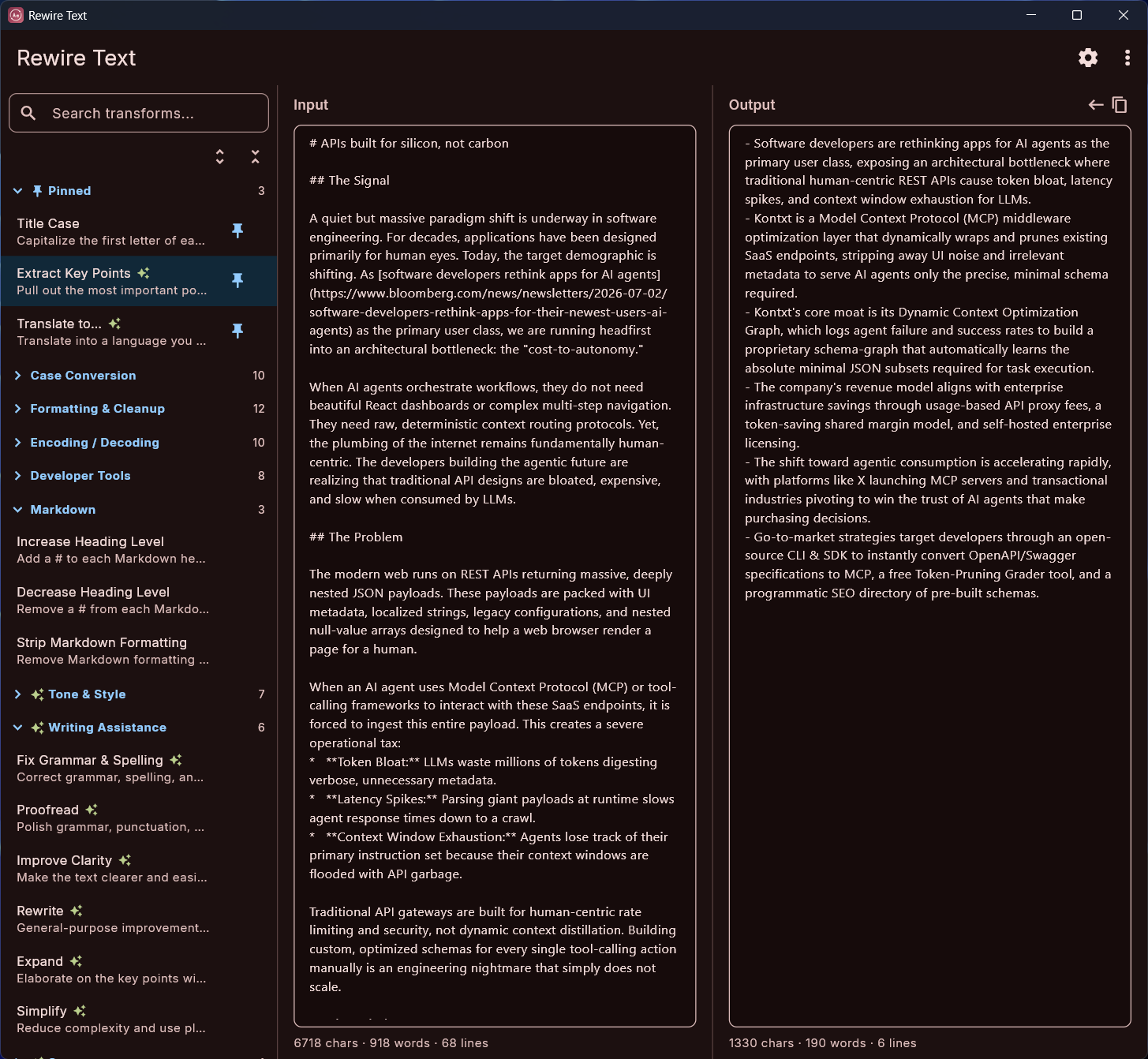
The full window: pinned transforms and categories in the sidebar, input and output panes side by side, running Extract Key Points on a Markdown document.
Command palette on its own
PNG, 672×555, light and dark
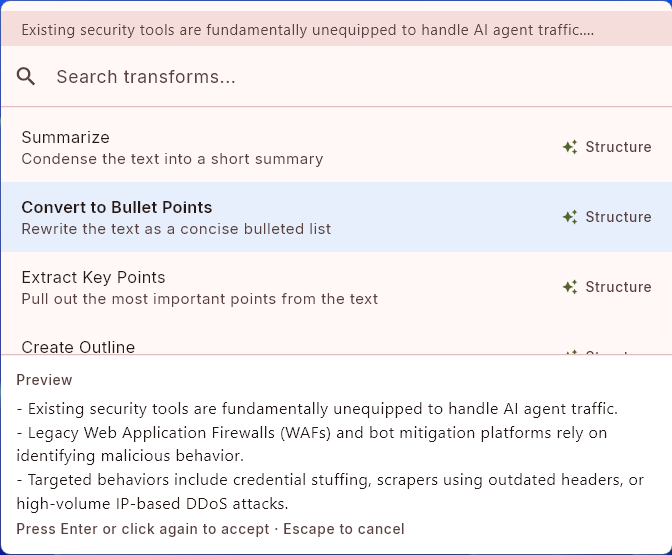
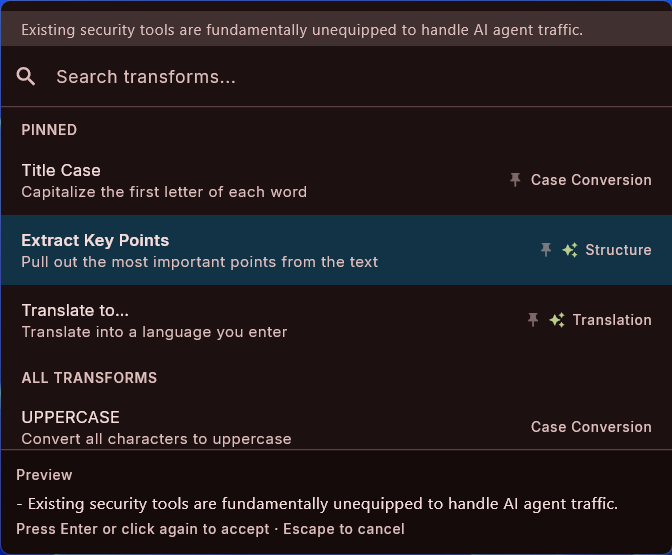
The palette cropped to itself: the captured text at the top, the searchable transform list, and a result in the preview pane. Captured on Windows; the palette looks nearly identical on macOS.
Command palette over Apple Mail
PNG, 1080×983, transparent background, macOS
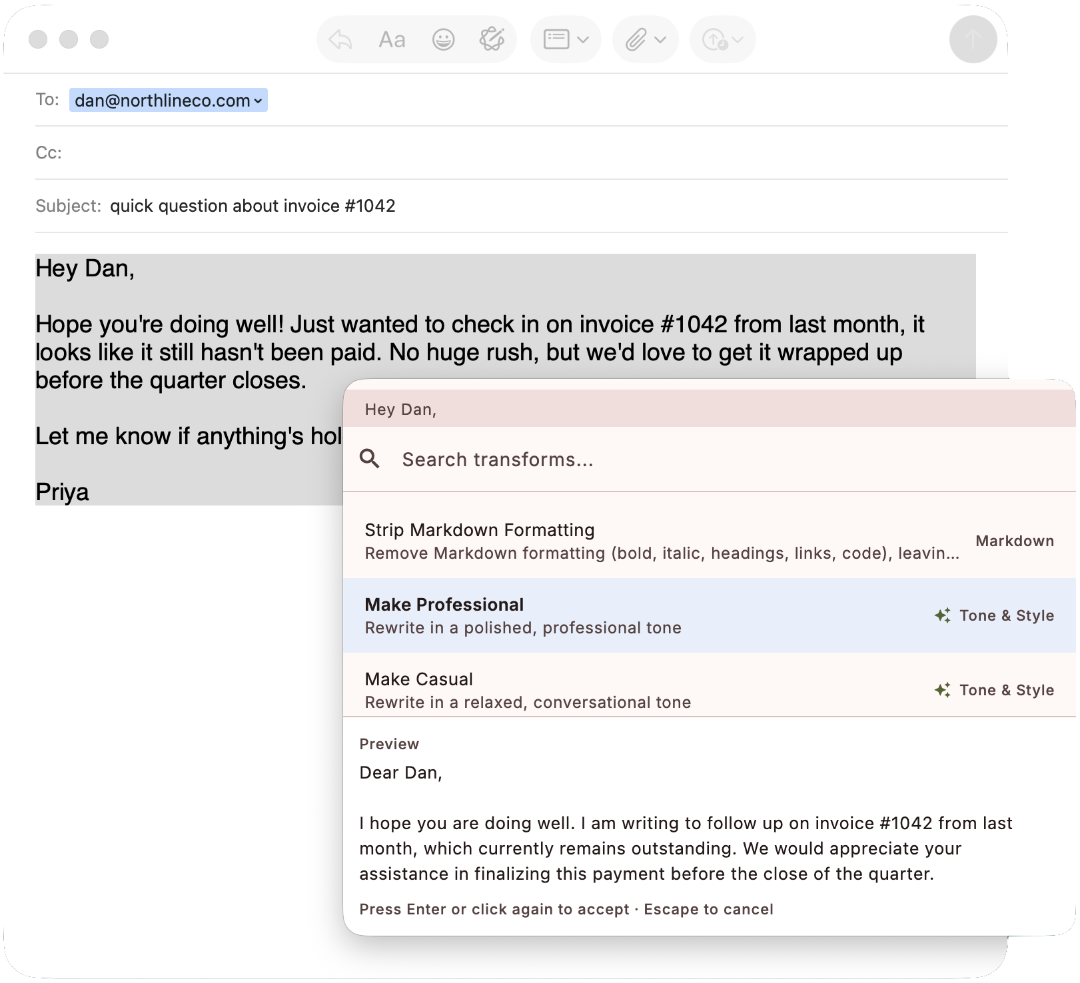
The palette floating over an Apple Mail draft, with the Make Professional transform showing its result in the preview pane.
App icon
SVG, vector (a 1024 px PNG is in the zip)
The Rewire Text app icon, with its rounded corners and transparency built in.
Need a shot that isn’t here (the full window on macOS, a specific transform, a different size)? Email us and we will capture it.
Try it, or get a review license
The fastest way to evaluate the app is the trial: everything works for 7 days, and the download asks for no email address.
If you review software, we will send you a full license key, free. There is no obligation attached: you don’t have to publish anything, and if you do, we don’t expect it to be positive. Email us with a link to where you publish and we will send a key, usually within a day.
To test the AI transforms without paying a provider, a free Google AI Studio key or a free OpenRouter model is enough. The AI setup guide covers both, and takes a few minutes.
If you want the bigger story
Rewire Text is the first app from Sunset Mesa Software, a studio built around one position: desktop tools should be bought once and owned, and AI features should run on your own key or your own hardware instead of through a metered subscription. The full argument is on the why page, and there is a short studio bio on the about page.
Contact
Press questions, review licenses, and asset requests all go to . You will reach Mirko Froehlich, the founder. It is a one-person studio, so you are always talking to the person who built the app.